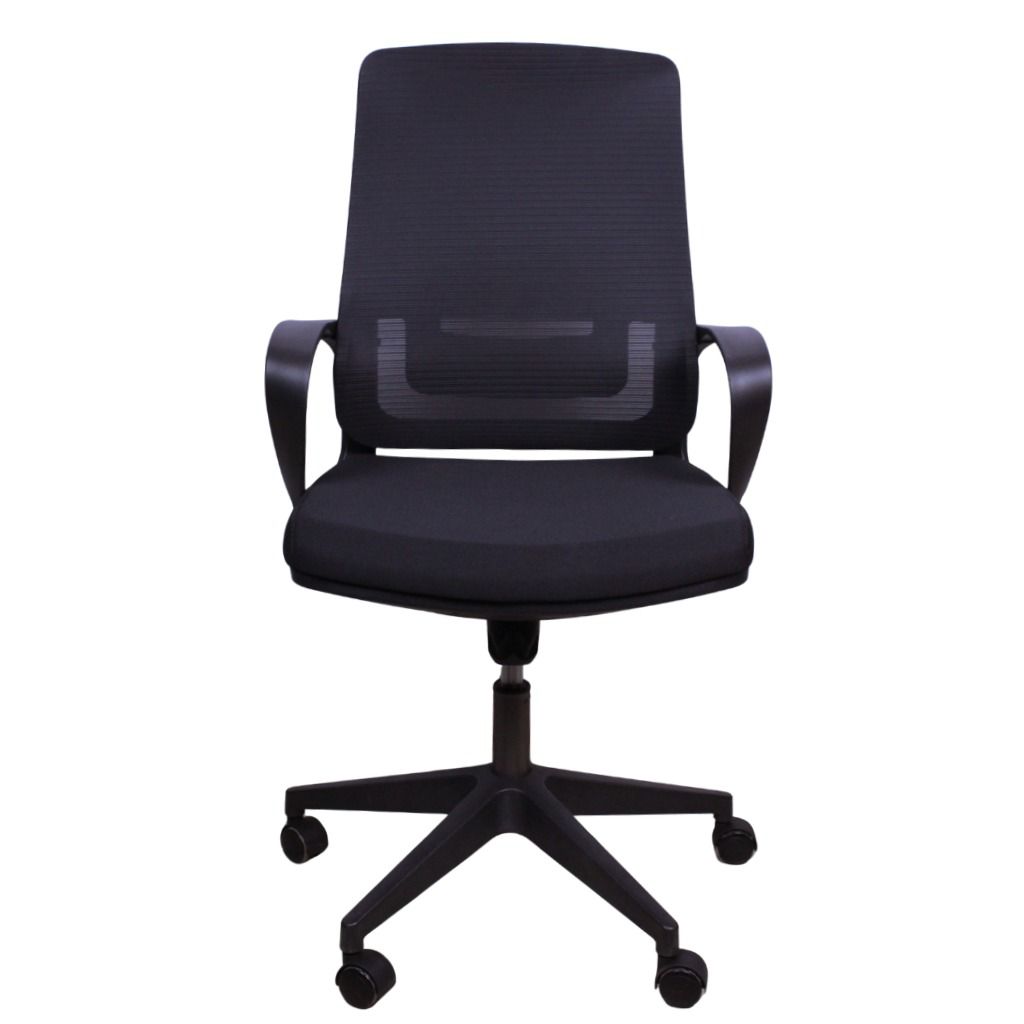
This comprehensive ergonomic chair adjustment guide outlines the exact steps to configure your ergonomic office chair to the standard 75cm desk height common in Kenya. Understanding this process is essential. Properly matching your seating to a fixed desk height is the most effective way to eliminate the lower back pain and shoulder tension that reduce workplace productivity. For chronic discomfort, orthopedic chairs provide an excellent solution for targeted support.
Understanding the Kenyan Desk Height Challenge for Ergonomic Chairs
The standard office desk height in Kenya is 75cm. This measurement provides a uniform look for office layouts, but it presents a significant ergonomic challenge. The stature of most people does not naturally align with this fixed height.
For correct posture, your elbows should form a 90-degree angle and rest parallel to the desk surface. Most people must raise their office chair higher than ideal to achieve this with a 75cm desk. This action often causes their feet to lift uncomfortably from the floor. This single issue leads to a series of postural problems, including leg strain and reduced circulation.
Step-by-Step Chair Height Adjustment for Optimal Ergonomics
Follow this procedure and focus on your upper body first. The primary goal is to align your arms with the desk. The rest of the setup will follow from this critical first step.
- Step 1: Set Your Initial Seat Height. Stand in front of your chair. Adjust its height until the highest point of the seat cushion is just below your kneecap. Now, sit down and move towards your desk.
- Step 2: Align Your Arms with the Desk. Use the height adjustment lever, which controls the gas lift cylinder, to raise or lower yourself until your forearms are parallel with the desktop. Your elbows should form a relaxed 90 to 100-degree angle. This position prevents you from shrugging your shoulders to reach the keyboard.
- Step 3: Check Your Thigh and Knee Position. Your thighs should be roughly parallel to the floor. You should be able to fit two or three fingers between the front edge of the seat and the back of your knees. This gap is crucial because it prevents the chair from cutting off circulation.
- Step 4: Assess Your Feet. Your feet are likely not resting flat on the floor at this point. If this is the case, you have successfully identified the core ergonomic issue with a 75cm desk. Do not lower your chair. You must bring the floor up to your feet.
Ergonomic Footrests: An Essential Tool for Your Office Chair Setup
An ergonomic footrest is not a luxury accessory. It is a necessary tool for correcting the height discrepancy in most Kenyan office environments. A footrest provides a stable platform for your feet once your chair is correctly positioned for your desk.
This simple addition provides immediate support and alleviates pressure on your lower back and thighs. Your leg muscles can relax, which encourages healthy blood flow that is otherwise restricted when your feet dangle all day.
Completing Your Ergonomic Workstation
A correctly adjusted chair is the foundation of an ergonomic setup, but your entire workstation must work together. Pay attention to two other key areas to prevent neck and wrist discomfort.
Position your computer monitor so the top of the screen is at or slightly below eye level. You should not have to tilt your head up or crane your neck down to see. A monitor stand or a stack of sturdy books can achieve the correct height. Your keyboard and mouse should be close enough that you can use them without reaching, keeping your elbows comfortably by your sides.
Troubleshooting Common Discomforts in Your Ergonomic Setup
You may feel specific points of strain even with an adjusted setup. This table helps identify the cause and provides a direct solution to resolve the discomfort.
| Symptom of Discomfort | Likely Ergonomic Cause | Recommended Solution |
|---|---|---|
| Pain or stiffness in the neck and shoulders. | Your monitor is too high or too low, forcing your neck into an unnatural position. | Adjust your monitor height so the top of the screen is at eye level. Use a monitor arm or stand. |
| Aching in the lower back. | Your feet are not flat on a surface, which causes your pelvis to tilt and strain your lumbar region. | Introduce an ergonomic footrest to provide firm support and maintain a neutral spine. For persistent issues, consider an orthopedic chair. |
| Tingling or numbness in the legs. | The front edge of your chair seat is pressing against the back of your knees. | Ensure there is a 2-3 finger gap between the seat edge and your knees. Adjust seat depth if possible. |
| Pain in the wrists or forearms. | Your elbows are not at a 90-degree angle, forcing your wrists to bend upwards to type. | Re-adjust your chair height relative to the desk. This is the most critical adjustment for an ergonomic office chair. |
Why Ergonomic Accessories are Key for Kenyan Offices
Investing in new, height-adjustable desks for an entire office is often prohibitively expensive. Ergonomic accessories like footrests and monitor stands offer a cost-effective and highly impactful alternative. You can find a range of solutions in our online office chair shop.
These tools allow you to adapt your existing furniture to fit your body's specific needs. Instead of forcing yourself to fit a poorly designed workstation, you use these tools to build a supportive environment around you. This directly improves comfort and focus.
Sourcing Ergonomic Accessories in Kenya
Finding the right ergonomic tools is straightforward. Focus on functionality and durability to ensure you get a product that provides lasting relief and support.
Key Features to Look For in an Ergonomic Footrest
- Adjustable Angle and Height: A quality footrest allows you to tilt the surface. This promotes gentle movement like rocking that improves circulation. Height adjustment is a bonus feature.
- Non-Slip Surface: The platform should have a textured surface to ensure your feet remain planted and do not slide off during the workday.
- Sturdy Construction: Look for a footrest made from high-impact plastic or metal that feels solid and does not flex under the weight of your legs.
Where to Purchase Ergonomic Accessories Locally
Specialised office furniture suppliers in major cities like Nairobi, Mombasa, and Kisumu are your best resource. These stores often stock a range of ergonomic accessories. For instance, our Nairobi store location has knowledgeable staff who can help you select the right footrest or monitor stand for your specific chair and desk combination. Feel free to contact us with any questions.
Achieving Long-Term Comfort and Productivity
Your relationship with your office chair is a daily one. Taking 15 minutes to follow this adjustment guide is an investment that pays dividends in sustained comfort and improved concentration. You can explore our complete collection by browsing our product categories.
Remember to perform mini-adjustments throughout the day and listen to your body. A truly ergonomic setup is one that feels supportive and allows you to focus on your work, not your discomfort. The combination of a properly adjusted chair and an essential footrest transforms the standard Kenyan workstation into a space built for health and productivity.
Office Furniture Specialist's Recommendation: Do not underestimate the impact of a footrest. For any office using standard 75cm fixed-height desks, a quality ergonomic footrest should be standard issue for every employee. It is the missing link that completes the ergonomic chain, turning a potentially painful workstation into a comfortable and supportive one. At Office Chairs Market Kenya, we believe this is fundamental to a productive workplace.