How to Adjust Chair Seat Depth to Stop Slouching
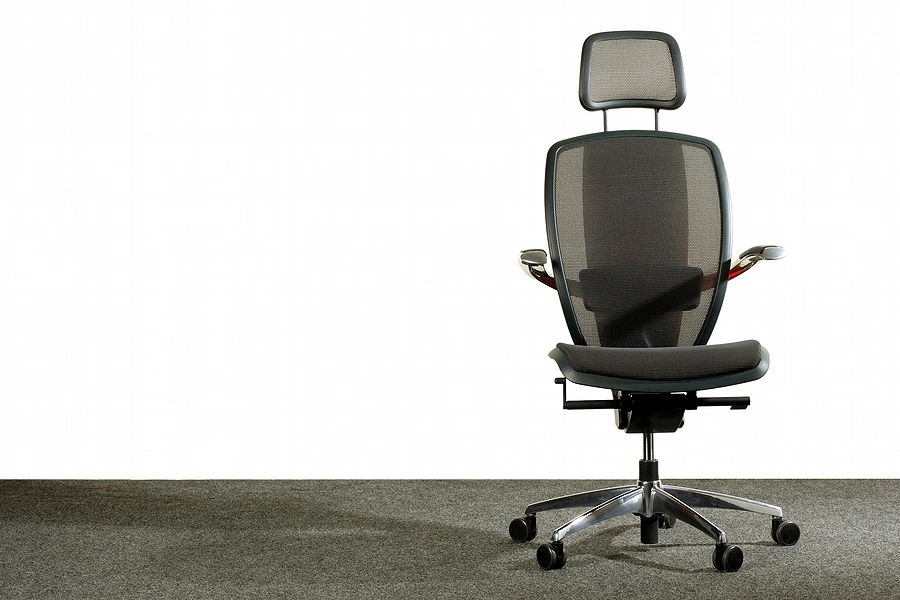
Adjusting an office chair's seat depth is a key process for preventing slouching and ensuring ergonomic comfort. This adjustment differs from seat height and directly affects leg positioning and thigh support for users in Kenyan workplaces.
Incorrect seat depth causes poor posture for users of all body dimensions. Shorter users cannot reach the backrest, and taller users have unsupported thighs, leading to spinal strain.
Adjustable seat depth is a required feature in multi-user environments, such as many Kenyan offices, to maintain productivity and employee well-being. The feature ensures each user can achieve a correct fit.
What is the Impact of Incorrect Seat Depth on Posture and Health?
An improperly set office chair seat depth directly compromises posture and long-term health. The two main problems, excessive depth and insufficient depth, create negative health consequences for seated employees.
Excessive Seat Depth
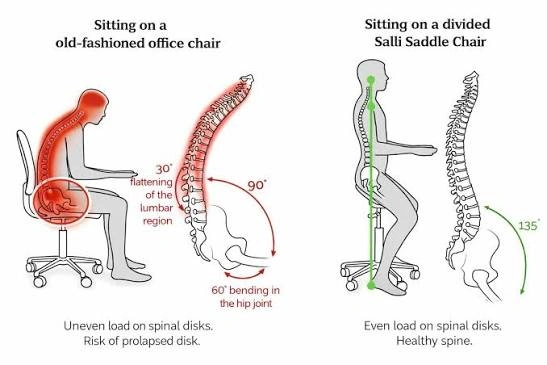
Excessive seat depth causes the front edge of the seat pan to press into the back of the user's knees and calves. This pressure restricts blood circulation and forces the user to sit forward, away from the backrest.
This forward-perching posture negates the chair's lumbar support. The lack of back support causes the lower back to round and encourages a slouch that strains the spine.
Insufficient Seat Depth
Insufficient seat depth fails to support the thighs. When too much of the upper leg hangs off the seat's edge, body weight concentrates on a smaller area, straining the lower back.
This lack of thigh support leads to discomfort and fatigue. Users often compensate by tucking their feet under the chair, which causes poor spinal alignment and slouching.
How Do You Correctly Adjust Office Chair Seat Depth for Different Body Types?
Correctly adjusting office chair seat depth ensures the chair fits your specific body dimensions. The primary goal is to provide full thigh support while your feet rest flat on the floor and your back contacts the backrest. The "two-finger rule" is the standard method for this adjustment.
- Sit on the chair and slide your hips as far back as they can go, ensuring your back is firmly against the chair's backrest.
- Adjust the seat depth forwards or backwards until you can fit two or three fingers between the back of your knee and the front edge of the seat pan.
- Shorter users should retract the seat pan to reach the lumbar support without the seat edge pressing into their legs.
- Taller users should extend the seat pan forward to provide support along the length of their thighs, leaving just the small gap at the knee.
A correct seat depth adjustment ensures even weight distribution and correct leg positioning. This process is a foundational step for achieving proper posture and preventing workday slouching.
Why is Intuitive Seat Depth Adjustment Important for Shared Workstations?
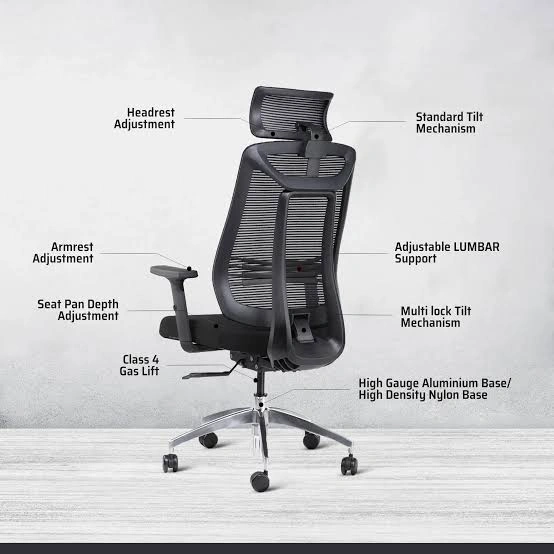
A chair's adjustability contributes significantly to team productivity in Kenyan offices with hot-desking or shared workstations. Procurement teams often overlook the seat depth adjustment mechanism, even though height adjustment is a standard consideration. A chair with an intuitive seat depth lever is a practical asset in these environments.
An easy-to-use adjustment encourages staff to set the chair for their specific body type. A simple mechanism prevents employees from using a previous user's incorrect settings. This practice helps maintain ergonomic standards and supports comfort for a workforce with diverse body dimensions.
Procurement teams and office managers make a practical investment by prioritising chairs with user-friendly seat depth controls. These controls reduce daily setup friction and support employee well-being. This focus also ensures that paid-for ergonomic features are used correctly.
What Other Office Chair Dimensions Affect Ergonomics?
Correct seat depth works with other key adjustments to create a complete support system. A user should configure the entire chair to achieve full-body comfort and prevent slouching. After setting the seat depth, adjusting other dimensions helps ensure proper spinal alignment.
Key Office Chair Ergonomic Adjustments
| Adjustment Feature | Purpose | Target Position |
|---|---|---|
| Seat Height | Establishes a stable posture foundation | Feet flat on floor, knees level with hips |
| Lumbar Support | Prevents lower back strain | Fits the inward curve of the lower back |
| Backrest Angle | Reduces pressure on spinal discs | Slightly reclined (100-110 degrees) |
| Armrests | Reduces neck and shoulder strain | Shoulders relaxed, elbows at 90 degrees |
Each chair adjustment influences the others. For example, a change in seat height may require a corresponding armrest re-adjustment. Treating these settings as an interconnected system creates a personalised fit that supports a neutral spine.
What Common Mistakes Should You Avoid When Adjusting Your Chair?
Improper adjustment of an ergonomic chair negates its benefits. Kenyan office managers and home-office buyers should understand common setup errors that prevent users from achieving comfort and proper posture.
A primary mistake is adjusting only the seat height while ignoring other features like seat depth. An incomplete setup leads to a compromised posture. Another common error is ignoring the "two-finger rule," which results in either reduced thigh support or impeded circulation.
Users often forget to adjust for changes in footwear. Different shoe types alter effective leg length and require minor seat height adjustments. Prioritising aesthetics over ergonomic principles, for example by setting a chair too high, can also lead to strain and discomfort.
How Can You Maintain Good Posture in a Kenyan Office?
A correctly adjusted chair is a primary tool for good posture, but daily habits are also important. Integrating specific practices into a work routine helps support the body and maintain focus.
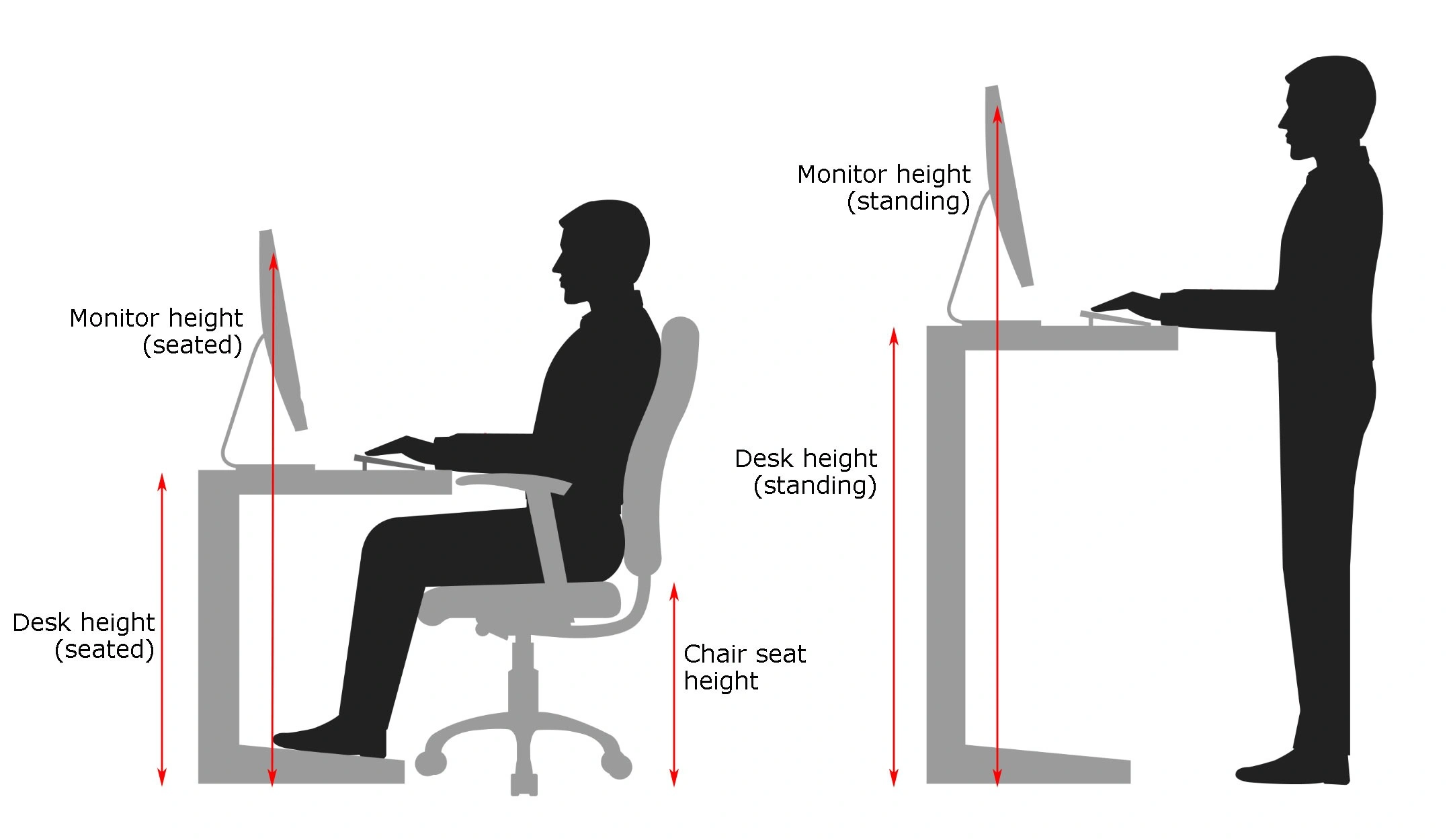
Position your computer screen so the top of the monitor is at or slightly below eye level and about an arm's length away. This positioning prevents you from craning your neck or hunching down.
Incorporate regular movement into your day. Standing up to stretch and walk for a few minutes every hour improves circulation. Simple desk stretches like neck rolls and shoulder shrugs also relieve tension. These habits, combined with an ergonomic chair, build a foundation for health in any Kenyan office.
Where Can You Find Ergonomic Office Chairs with Adjustable Features in Kenya?
High-quality ergonomic chairs with full adjustability are accessible across Kenya. Nairobi-based procurement teams can visit office furniture supplier showrooms to test different models and their adjustment mechanisms.
Buyers should specifically request to test the seat depth adjustment. The mechanism should operate smoothly and offer a range that accommodates different body types on a team.
Many suppliers offer nationwide delivery, servicing offices from Mombasa to Kisumu. These suppliers should provide clear online product descriptions detailing each chair's ergonomic features, warranties, and after-sales support.
[explore ergonomic office chairs]
How Do You Perform a Quick Ergonomic Chair Adjustment?
Users can improve comfort and posture by assessing and adjusting their current office chair. This checklist provides a guide for implementation in any Kenyan workplace, from an office in Westlands to a home office in Nyali.
- Start with Depth: Sit all the way back in your chair. Adjust the seat pan to leave a two-to-three-finger gap between the seat edge and the back of your knees.
- Set Your Height: With feet flat on the floor, adjust the chair height until your knees are level with your hips, forming a 90-degree angle.
- Support Your Back: Position the lumbar support to fit the natural curve of your lower back. Adjust the backrest angle for comfortable support.
- Position Armrests: Lower or raise the armrests until your shoulders are relaxed and your elbows are bent at a comfortable 90-degree angle.
- Review Regularly: Make it a habit to check your settings, especially if you use a shared workstation. A quick 30-second check can improve your entire day.
An equipment evaluation should follow this checklist. A chair that lacks important adjustments like seat depth or lumbar support may not provide the required ergonomic support. This finding indicates a need to upgrade to a chair with a full feature set to protect health and productivity.
[visit our online office chair shop]
Need Office Chairs?
Browse our collection of office chairs at competitive prices. Fast delivery anywhere in Kenya.